Innovative Content: Touch Pure Flex Installation Process & Expert Advice
Touch Pure Flex – Smart & Stylish Control at Your Fingertips
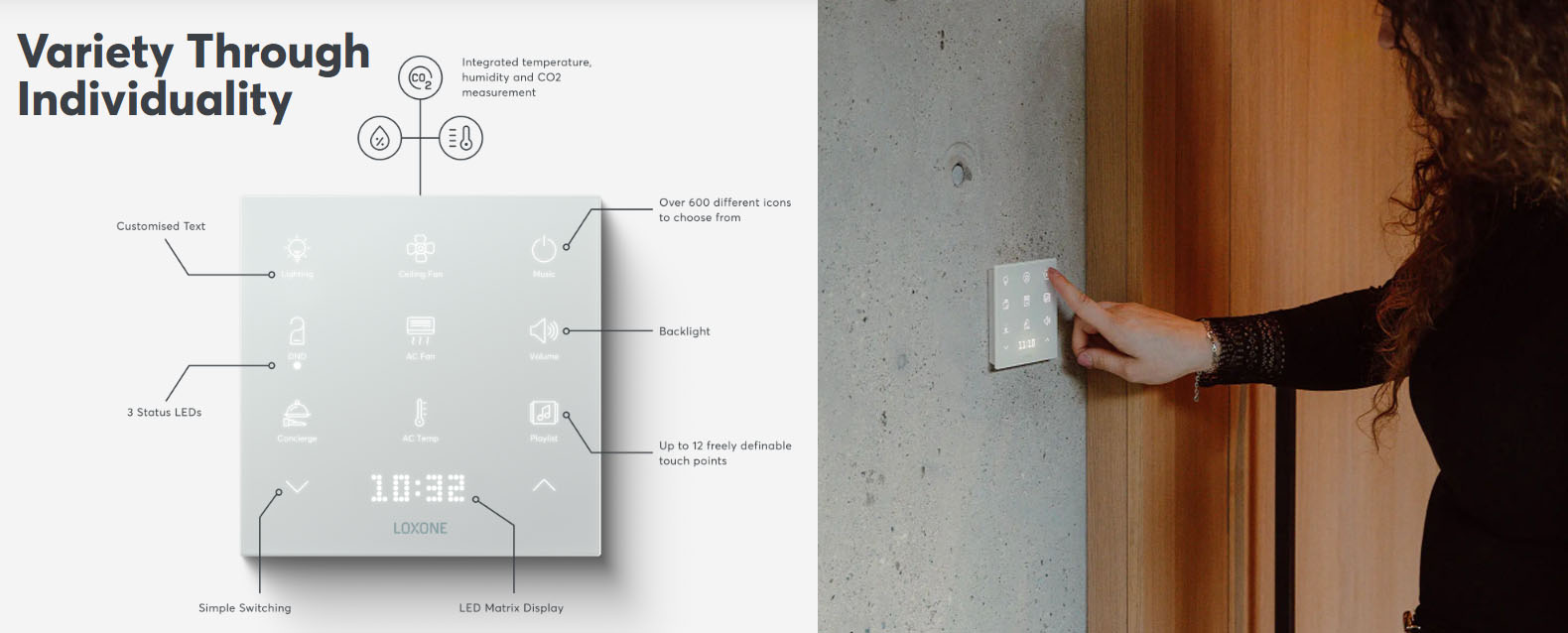
The Loxone Touch Pure Flex is a sleek, customizable smart home control panel that blends seamlessly into any interior while offering intuitive control over lighting, climate, security, and more.
Installation Process: Step-by-Step Guide
1. Pre-Installation Checklist
✅ Ensure compatibility with the Loxone Miniserver (Gen. 1 or Go)
✅ Verify correct wiring (Ethernet or Loxone Tree connection)
✅ Choose an optimal location (wall or table stand)
✅ Check power supply (PoE or external 5V adapter)
2. Mounting the Touch Pure Flex
-
Wall Mounting:
-
Mark drilling points using the template.
-
Use a level for precise alignment.
-
Secure the backplate and snap the device into place.
-
-
Table Stand Option:
-
Attach the stand to the Touch Pure Flex for flexible placement.
-
3. Wiring & Connectivity
-
Ethernet (PoE Recommended):
-
Connect via Cat5e/Cat6 cable for power and data.
-
-
Loxone Tree:
-
Use a Loxone Extension if needed for extended range.
-
-
Power Supply (if not using PoE):
-
Connect the 5V adapter to the micro-USB port.
-
4. Configuration in Loxone Config
-
Open Loxone Config Software.
-
Add the Touch Pure Flex as a new peripheral.
-
Assign functions (lighting, heating, scenes, etc.).
-
Customize the interface via the UI Designer.
5. Testing & Calibration
-
Verify touch responsiveness.
-
Check all linked automations.
-
Adjust brightness and screen timeout settings.
Expert Advice for Optimal Performance
🔹 Placement Tips:
-
Avoid direct sunlight to prevent glare.
-
Install at a comfortable height (1.2m–1.5m for wall mounting).
🔹 Network Considerations:
-
Use a stable Ethernet connection for reliability.
-
For large setups, ensure a robust Loxone Tree network.
🔹 Customization & User Experience:
-
Group frequently used controls on the home screen.
-
Use visual feedback (colors, icons) for intuitive operation.
🔹 Troubleshooting:
-
If unresponsive, check power & network connections.
-
Reset the device if needed (hold power button for 10 sec).
Why Choose Touch Pure Flex?
✔ Sleek, frameless design – blends into any décor
✔ Flexible installation – wall or table mounting
✔ Customizable UI – tailor controls to your needs
✔ Reliable & fast – PoE or Loxone Tree connectivity
For more details, visit: CALL US or EMAIL